The Docs Tool That Isn't One
The case for building documentation on a website framework: everything hard about docs is a website capability, and the docs-specific layer is thinner than it looks.
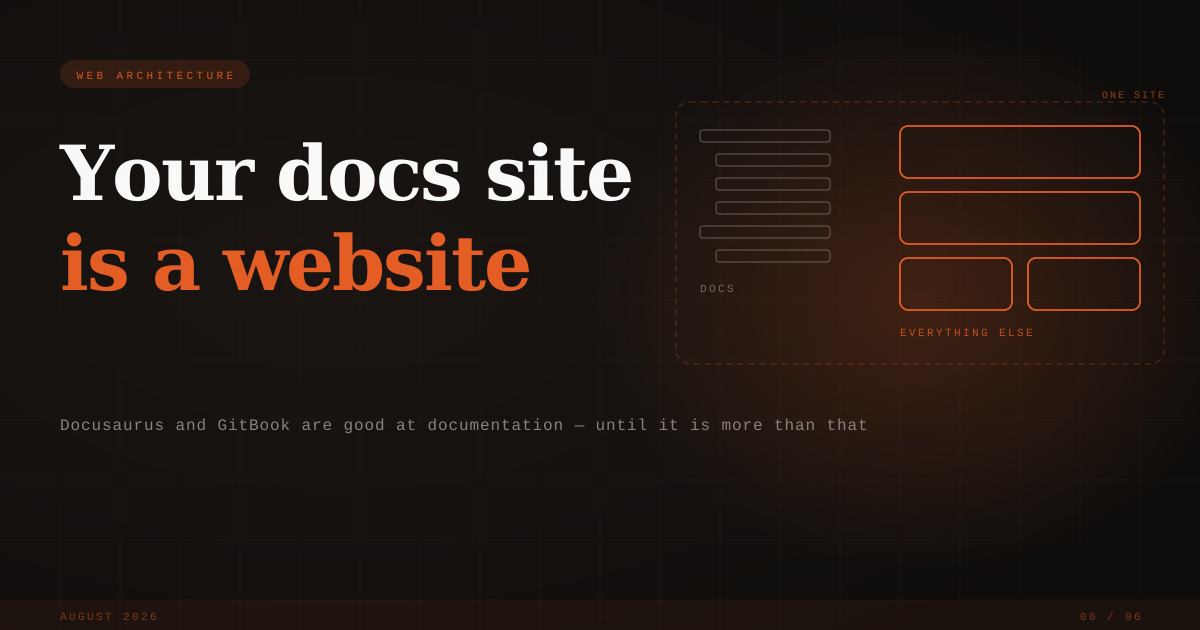
The Docs Tool That Isn't One
Choosing a documentation tool is one of the easier decisions in software, which is part of its charm. The shortlist writes itself: a generator like Docusaurus or Starlight if your contributors live in git, a hosted product like GitBook or Mintlify if they don't. Pick one, write markdown, ship.
Uniweb arrives on that shortlist as the odd candidate. It's a website framework. It builds documentation sites, and also marketing sites, academic sites, storefronts. To anyone comparing docs tools, that range reads as a warning: general-purpose tools are supposed to lose to purpose-built ones, and a framework that also does e-commerce sounds like the wrong amount of tool for a sidebar and some markdown.
We think the suspicion is reasonable, and that it points the wrong way. Here's the case.
What a docs tool is made of
The list of what makes a documentation site hard is short and stable. Turning folders of markdown into routed pages. Navigation that follows the content's structure. Search. Code samples that look the way code looks in an editor. Cross-references that stay correct as pages move. Versions. Translations. A theme. A build and a deploy.
It reads back as a list of website capabilities. None of it is specific to documentation. The genuinely docs-specific part, the sidebar and the version switcher and the visual conventions of a reference page, is a thin layer on top of a website engine — which means a documentation generator is a website engine scoped down to one kind of site, and the quality lives in the engine, not in the scoping.
Uniweb's engine wasn't built for docs first. It grew out of more than a decade of building university websites, properties where content types, contributors, and languages multiply, and it makes the anatomy explicit. A project is two packages, and our vocabulary keeps them strict: the site is pure content — markdown in folders, no JavaScript, no CSS — and the foundation is all of the site's code, a React component system that renders it. A file whose frontmatter says type: Hero renders through the foundation's Hero.jsx, and the parser hands the component structured content rather than raw text. Writers and component developers can't break each other's work, by construction.
In this anatomy, a "docs tool" is just a foundation with docs-shaped components: a sidebar, a doc page, a search box wired to the index the engine already builds. npx uniweb create my-docs --template docs hands you a ready-made one, a standard template alongside marketing, academic, store, and international — but the template is a starting point, not the product. Start from nothing and a docs foundation is a modest amount of ordinary React, because the engine is doing the hard parts; and these days it's often not even a person writing it, since foundations are exactly the kind of code AI agents produce well, and every scaffolded project ships the instructions that teach them the framework. When a template's conventions aren't yours, you edit components you own instead of swizzling a theme you don't.
Our own documentation runs this way, and it's the shortest proof: github.com/uniweb/docs is a public repository of ordinary markdown, readable by anyone, rendered by a foundation that lives elsewhere. If the framework couldn't produce a first-rate docs site, you would see it there first.
Taking the checklist seriously
Start with the docs you already have, because the fastest migration is none:
# site.yml
paths:
  pages/docs: ../external/docs
That mounts a directory of ordinary markdown — a submodule, a sibling checkout, the repo your team already writes in — as a route. The docs keep their own repository, their own reviewers, their own history; the site reads them in place, and the folder tree becomes the navigation. Adopting the framework doesn't ask you to move anything.
Then the craft of a technical page, which is where docs tools earn their keep. Code is highlighted by Shiki, the engine inside VS Code, so samples are coloured by the same grammars your readers stare at all day. Math typesets properly, inline and display. Cross-references do the bookkeeping: write [#fig-pipeline] and it renders as "Figure 3" and links there, with figures, tables, equations, and sections numbered for you and renumbered when they move. Versioning is scoped to a subtree — pages/docs/v1/ and pages/docs/v2/ under a versioned branch while everything beside them stays unversioned — because a version is a property of a part of a site, and a framework can say which part.
Languages get a workflow, not just a switch. uniweb i18n extract pulls the translatable strings out of your content, and uniweb i18n status reports what changed in the source since each translation was made. After years of building bilingual sites in Canada, we can report that the hard part was never producing the French; it was noticing when it had gone stale.
Search is one index over the whole site, behind ⌘K — this page runs it, and the index ships inside the static build. The same dialog has an ask pane that answers questions grounded in your pages, though that one needs a deployment serving it; more on the hosted layer below. And deployment itself is a static build that goes anywhere: uniweb add ci scaffolds the workflow for GitHub Pages, Cloudflare, Netlify, or Vercel, PR previews included.
Readers that aren't people
One checklist item didn't exist when most docs tools were designed. A large share of documentation reading is now done by AI systems on someone's behalf; GitBook, measuring across the docs they host, watched AI readership go from under 10% in January 2025 to over 40% by December. Credit where due, GitBook handles this well — llms.txt, per-page markdown, even an MCP server, all automatic — and Docusaurus gets there with community plugins. (Uniweb's deeper AI integrations live in the hosted layer, work differently, and deserve their own post; what follows is the part that ships in the build.)
In Uniweb it's a property of the site itself, not of a host:
agents:
  index: true          # /llms.txt — annotated index of the site
  markdown: true       # /{route}.md — every page as clean markdown
  branchIndexes: true  # /docs/llms.txt for branches big enough to want one
  exclude: [/internal]
Every page gets a markdown twin at its own route, the site gets an annotated index, and both ship inside the static build, so they're on your GitHub Pages deploy the same as on anyone's cloud. An agent reads the text you wrote instead of reverse-engineering your markup.
We learned to take these readers seriously the empirical way. The agent instructions that ship with every scaffolded project were tuned by having a coding agent convert an existing React site using only those instructions, interviewing it about what confused it, and revising until the confusion stopped. Machines turn out to be demanding readers.
Where generators stop
Two things sit past the edge of what a generator can offer, and both matter most for documentation.
The first is interactivity without fragility. Docs want live components — a demo, a chart, an interactive diagram — and MDX's answer is to let authors write JSX inside markdown. It works, and it couples content to code: every writer becomes a programmer of the build, and anyone who has run MDX docs at scale has watched a build fail on a stray angle bracket in prose. In Uniweb the author places a component with image syntax, , and a full React component renders in that slot. The author never sees JSX, the developer's component evolves without touching anyone's prose, and because content is markdown rather than code, there is no compile step for a writer to break. For a docs site with many contributors, that guarantee is the feature.
The second is the team whose contributors don't all work the same way. A standard Uniweb project is git-native — markdown in a repository, branches, reviews, CI — so a git team isn't being accommodated here; it's the default. The interesting case is the mixed team, where some people live in an IDE and others want a visual editor. Uniweb Cloud pairs the same site with the Uniweb App, a visual editor for extended markdown, and the two surfaces run live at the same time. uniweb push sends your working copy up, where it arrives the way a collaborator's edit arrives in any shared document; uniweb pull brings the App's content back down as markdown, in your shape, ready for a git diff and a commit. Authors see changes live and publish without a pull request or a build; developers keep the IDE, git, and the review flow; either side can publish at any moment, and it stays one site. Different sections never conflict, and simultaneous edits to the same one get the warning any collaborative editor gives — the model is a shared document, not a merge. A note published this morning is searchable this morning. We don't know of another tool in this category where both surfaces are live at once, rather than one being a synced copy of the other. That part is the hosted layer, and it's optional; everything else in this article is Apache-licensed and free.
More than docs, when you want it
And yes, the range that raised the suspicion. The same project can hold a marketing site, a blog, or a storefront beside the docs, on the same theme, with no second system and no migration waiting at the end of the roadmap; uniweb.io itself runs that way. We're not arguing that case today. The point here is only that the ceiling doesn't exist: a documentation site that outgrows documentation gains a folder in the same site, not a new tool.
Choosing
Docusaurus remains a good answer if your contributors live in git, you accept MDX's trade, and you want the comfort of the category's largest community. GitBook is a fine one if you want a fully hosted product and are content inside its boundaries. Most other tools, Mintlify and Starlight among them, sit somewhere between those poles. As for ours: the young tool's usual cost, a thin plugin ecosystem, mostly doesn't apply. A foundation is standard React and the build is standard Vite, so the extension surfaces are npm and the Vite plugin ecosystem, both larger than any docs tool's — and the things a docs site normally integrates (search, localization, dynamic content, media handling, machine readability, the ask assistant) are engine features, ready from the start. What we do charge is newness: fewer worked examples to crib from, and sometimes being the first to hit a problem.
But on the checklist itself — mounting the docs you already have, typesetting that takes technical pages seriously, versions scoped to the pages that need them, translations that report their own drift, machine readers served from the build, writers with no compile step to break — we think this is the strongest way to build a documentation site available today. Not despite being a website framework. Because the hard parts of a docs tool were never about docs.
The fastest way to check is ten minutes and one command: npx uniweb create my-docs --template docs.